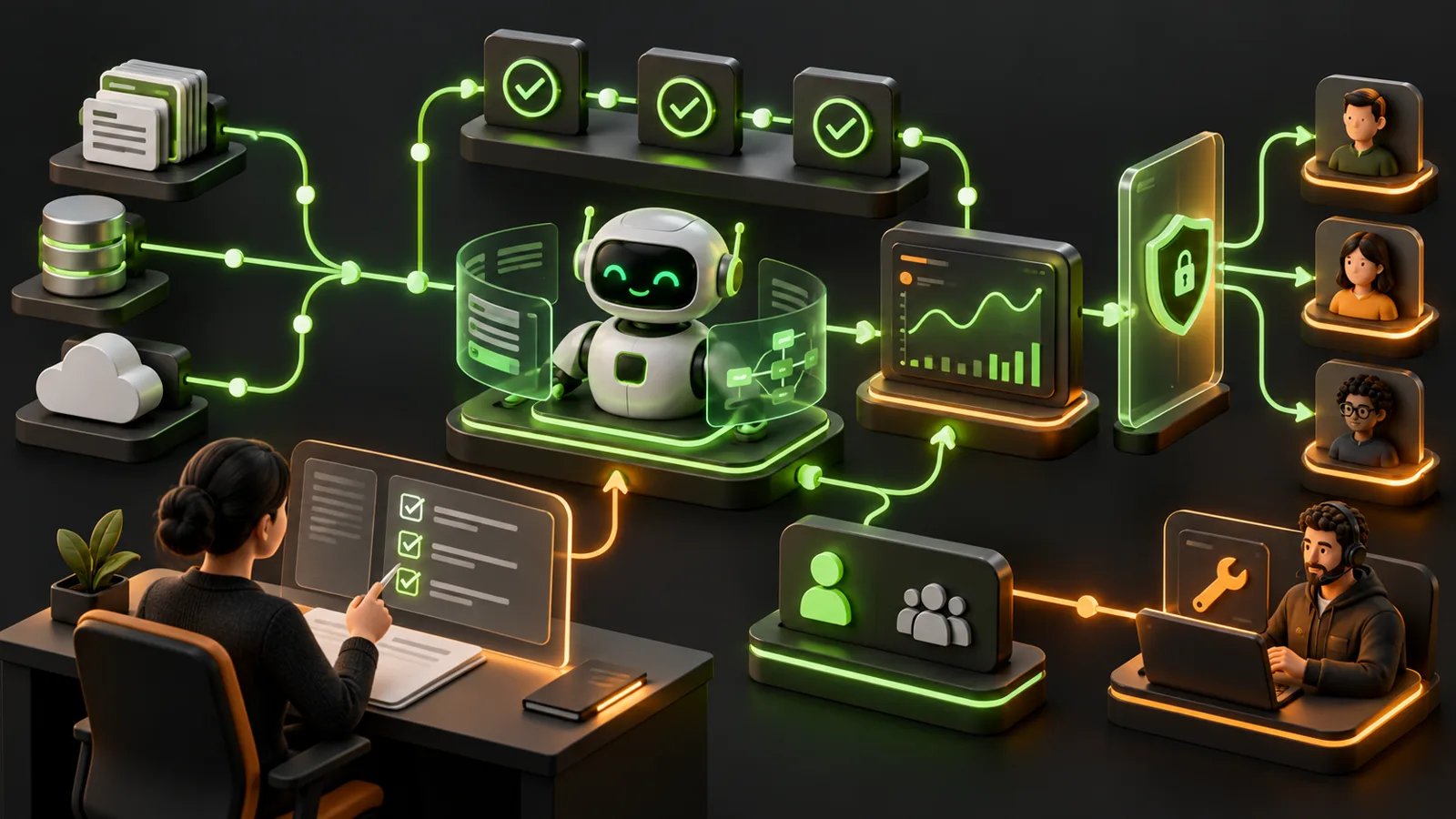
8 Mistakes That Make AI Agent Projects Fail After the Demo
Avoid the failures that appear after the demo succeeds.

The demo was flawless. Your AI agent seamlessly retrieved the right internal documents, invoked external application programming interfaces (APIs) perfectly, and generated a pristine, natural-language response. The stakeholders were impressed, the investors were ready, and the deployment button was pushed. But weeks later, the system is breaking, users are frustrated, and the project is on the verge of being scrapped. Why?
There is a massive chasm between a controlled prototype and a production-grade application. If you want to understand the 8 mistakes that make AI agent projects fail after the demo, you must recognize that real-world users introduce chaos, external systems experience unpredictable downtime, and large language models (LLMs) are inherently unpredictable without strict scaffolding. Transitioning from a shiny proof-of-concept to a robust, scalable product requires a complete mental shift from casual prompt tweaking to rigorous software engineering.
Whether you are a founder scaling a new product, a builder automating complex operational workflows, or an aspiring AI service provider looking to deliver durable client solutions, avoiding these post-demo pitfalls is critical to your success. Let’s break down the eight most common mistakes that doom AI agents in production environments, how to implement practical fixes, and the honest tradeoffs involved in securing your system.
1. Ignoring Data Quality for LLM Context
The Situation
The agent relies on internal documents or proprietary databases to answer user queries, a process typically managed via Retrieval-Augmented Generation (RAG). During the demo phase, it was tested on five perfectly formatted, hand-picked PDFs. In production, however, it is forced to ingest thousands of poorly formatted internal wikis, duplicated knowledge base articles, and outdated spreadsheets. The result is a confused, unreliable agent that confidently hallucinates answers based on stale, conflicting, or messy data.
The Implementation
Establish strict data ingestion and cleaning pipelines before going live. Normalize your data formats, implement intelligent document chunking strategies that respect semantic boundaries (rather than just splitting by character count), and automatically filter out deprecated documents. Apply rich metadata tags—such as creation date, department, and document type—to all embedded vectors so the agent can filter searches contextually rather than relying solely on raw vector similarity.
The Benefit
The AI agent produces highly accurate, grounded, and trustworthy responses. Users get the correct answer from the most current source of truth, establishing long-term reliance and trust in the AI tool.
The Limitation
Building and maintaining robust data pipelines is heavily time-consuming and expensive. It shifts the project’s focus from glamorous AI model prompting to unglamorous data engineering, requiring continuous maintenance as upstream data formats and business structures change.
2. Designing Vague Outcomes for Your AI Agent
The Situation
The founders wanted an "all-in-one AI assistant" to revolutionize the business. During the demo, the user asked it to draft a single follow-up email, and it worked beautifully. In production, users ask it to analyze complex financial tables, write software code, and schedule team meetings all in the same breath. Because the agent’s purpose and toolset are too broad, it fails to execute any single task reliably, resulting in unpredictable behavior, infinite loops, and massive scope creep.
The Implementation
Define narrow, highly specific, and easily quantifiable outcomes for your AI agent. Instead of building a generic "Accounting AI," build an "Invoice Extraction Agent" whose sole job is to ingest an uploaded invoice, extract three specific fields (amount, date, vendor), and push them to a structured database. Strip away all tools, prompts, and permissions that do not serve this single, localized objective.
The Benefit
Narrowly scoped agents are vastly easier to prompt, test, and debug. When operational boundaries are clear, the LLM is significantly less prone to distraction or hallucination, guaranteeing a much higher success rate in production workflows.
The Limitation
A highly specialized agent lacks the impressive "wow factor" of an omnipotent AI chatbot. Complex, multi-step business workflows will inevitably require orchestrating multiple narrow agents together, which significantly increases backend architectural complexity.
3. Allowing Unsafe LLM Autonomy Without Guardrails
The Situation
To make the demo look fully automated and futuristic, builders often grant the AI agent unrestricted access to execute API actions—like sending emails directly to clients, processing financial refunds, or deleting database rows. In production, the LLM misinterprets a chaotic user prompt and autonomously fires off embarrassing, hallucinated emails to key customers or enters a logic loop, draining thousands of dollars in API credits overnight.
The Implementation
Enforce strict operational guardrails and implement a Human-in-the-Loop (HITL) architecture for any destructive or external-facing actions. Use a system where the agent merely generates a proposed action, but a human operator must click "Approve" before the payload is sent to the final execution endpoint. Additionally, set hard budget caps, timeout thresholds, and rate limits on all LLM API usage.
The Benefit
Hard guardrails protect your business from catastrophic reputational damage, irreversible data loss, and massive financial liability caused by a rogue script or a misunderstood prompt.
The Limitation
Introducing human checkpoints eliminates the fantasy of true, 100% hands-off automation. It introduces intentional latency into the workflow and requires dedicated human staff to monitor, review, and approve the agent’s queued actions.
4. Missing LLM Evaluation and Testing Frameworks
The Situation
Developers tweak the system prompt to fix a specific bug reported by a user in the morning. They test the prompt manually a few times—a classic "looks good to me" approach—and push the update to production. Suddenly, three other edge cases that worked perfectly yesterday are completely broken today. The project degrades over time because there is no systematic way to verify how incremental changes impact the system at scale.
The Implementation
Build an automated evaluation framework before launching. Compile a "golden dataset" of 50 to 100 real-world user inputs alongside their expected ideal outputs. When modifying prompts or updating the underlying base model, run this golden dataset through the new agent architecture using an "LLM-as-a-judge" framework to score accuracy, tone, and tool-call correctness deterministically.
The Benefit
Developers gain massive confidence in their deployments. Teams can iterate, refactor, and improve the agent rapidly without the paralyzing fear of causing unseen regressions or breaking core functionality.
The Limitation
Creating a comprehensive, accurate golden dataset is tedious and difficult, especially early on when real user data is scarce. Furthermore, running comprehensive evaluations using LLMs as judges adds ongoing time constraints and API costs to the deployment cycle.
5. Deploying AI Without Monitoring or Observability
The Situation
End users report that the agent "isn't working" or that it gave a "weird, broken answer." When developers try to fix the issue, they have absolutely no idea what prompt the user typed, what exact context the RAG system retrieved, or what specific JSON payload the LLM generated. Without visibility, debugging production AI issues is like flying blind in a storm.
The Implementation
Integrate comprehensive observability and tracing tools specifically built for generative AI, such as LangSmith, Helicone, or generic robust telemetry platforms. Log every single step of the agent's reasoning process: the raw user input, the exact context injected, the raw LLM output, tool call execution latency, and the token consumption per interaction.
The Benefit
Engineers can instantly pinpoint exactly where a failure occurred—whether it was a bad vector retrieval, a third-party API timeout, or a model hallucination—and rapidly deploy a targeted, effective fix.
The Limitation
Comprehensive tracing generates a massive volume of log data, which increases infrastructure footprint and SaaS overhead costs. If not configured carefully, synchronous logging can also add noticeable latency to real-time user interactions.
6. Relying on Fragile Third-Party Integrations and APIs
The Situation
The agent relies heavily on calling external tools to function. In the demo, the weather API and the internal CRM API responded instantly. In production, third-party APIs experience downtime, return unexpected HTTP 500 errors, or the LLM formats its JSON tool payload with a missing comma. The agent panics, crashes, and unceremoniously returns a raw error stack trace to the end user.
The Implementation
Engineer defensive tool integrations. Force the LLM to use strict Structured Outputs (like JSON Schema definitions) to guarantee syntactically valid payloads. Wrap all external API calls in robust retry logic utilizing exponential backoff. Crucially, instruct the agent via its system prompt on exactly how to gracefully explain the situation to the user if an external tool completely fails.
The Benefit
The AI system remains robust, stable, and professional even when the underlying third-party services it relies on experience catastrophic failure or network latency.
The Limitation
Writing robust, defensive wrappers around every single tool call adds significant boilerplate code to the project and extends development timelines. Additionally, silent retries can mask underlying API degradation if you aren't carefully monitoring your external dependency health.
7. Establishing Unclear Ownership of the AI Agent Lifecycle
The Situation
A small, agile team builds a brilliant prototype, deploys it to a Slack channel or web portal, and immediately moves on to their next sprint. Months later, the underlying LLM model is deprecated by the provider, the prompt drifts out of alignment with new business rules, and the system fails. No one steps up to fix it because no one officially owns the agent’s lifecycle.
The Implementation
Treat the AI agent as a living, breathing software product, not a one-and-done script. Assign clear ownership roles before deployment: designate a Product Manager to handle user feedback and feature requests, a Prompt Engineer or Developer to maintain model updates, and an Operations lead to monitor API costs and infrastructure health.
The Benefit
Clear, documented ownership ensures the agent evolves alongside the business, adapting to new operational requirements and consistently delivering return on investment (ROI) rather than becoming abandoned, broken legacy tech.
The Limitation
Assigning permanent ownership requires organizational buy-in and dedicated personnel, pulling valuable human resources and focus away from other emerging projects or core business tasks.
8. Launching Without a Support Plan for End Users
The Situation
A user attempts to accomplish a critical, time-sensitive task using your AI agent. The agent repeatedly fails to understand the nuanced request, getting stuck in an apology loop ("I'm sorry, I can't help with that"). The user hits a hard dead end with zero recourse, abandons the platform in total frustration, and vocalizes their poor experience to others.
The Implementation
Launch with a built-in, frictionless support plan and a clear escalation path. Design the system for graceful degradation: if the agent fails or its confidence scores fall too low, automatically offer to hand the conversation off to a human support agent, complete with a full summary of the user's context. Add immediate user feedback mechanisms (like simple thumbs up/down buttons) on every AI response.
The Benefit
You maintain user trust and save the customer relationship even when the AI inevitably falls short. Furthermore, the direct feedback loop provides the exact, high-quality data needed to improve the agent for the next user.
The Limitation
Designing an effective escalation path requires integrating human support channels and actively paying or training staff to stand by and handle complex edge cases that the AI could not resolve on its own.
Frequently Asked Questions (FAQ)
What is the single most common reason AI agents fail in production?
A lack of clear, restricted scoping. When builders try to make an omnipotent agent that can do absolutely everything, it usually fails at everything. Narrow, focused tasks with strict tool limits and clear boundaries are the absolute key to production success.
How do I safely transition my AI agent from a demo to production?
Start by deploying the agent to a closed beta group of internal or highly tolerant users. Implement tracing tools to log all of their interactions, build your evaluation datasets from their real-world inputs, and strictly keep a human in the loop for any actions that alter data, spend money, or interact with external client systems.
Are fully autonomous agents safe for enterprise use?
They are generally only safe if they are heavily constrained and rigorously tested. True unbounded autonomy is highly risky due to the unpredictable, probabilistic nature of LLMs. Enterprise agents should exclusively use deterministic APIs, strict JSON schemas, and mandatory human-in-the-loop approvals for sensitive workflows to guarantee safety and compliance.
Ready to Build Production-Grade AI?
Transitioning from a fragile demo to a resilient production environment is the hardest part of AI development, but you don't have to navigate it alone. At VibeCode Academy, we teach founders, builders, and aspiring AI service providers how to build, ship, and sell genuinely useful AI agents and web products. Join us to learn practical, real-world development strategies and start building AI solutions that survive contact with reality.